Image to PSD with Layers for Editable Photoshop Files

Turn flat posters, product shots, or paintings into editable multi-layer Photoshop files with clean backgrounds—upload one image or open a sample. Skip manual clipping paths.

Workbench view

Real Layered PSD Breakdown From One Flattened Poster

Flattened client JPEGs and campaign posters bake headlines, subjects, and backgrounds into one locked plane where moving a single element leaves blank holes. See how one flat JPG, PNG, or WebP file splits into a five-layer 8-bit RGBA Photoshop document with trimmed pixel bounds and a reconstructed sky.

Flat Input · 1086 × 1448 WebP

Flat Summer Escape poster image before conversion to a layered Photoshop PSD file

Single-Layer Flattened Poster Composite

Ordinary JPEG and WebP deliverables bake display lettering, floating illustrations, and sky gradients into one locked raster plane where moving any copy element leaves blank holes.
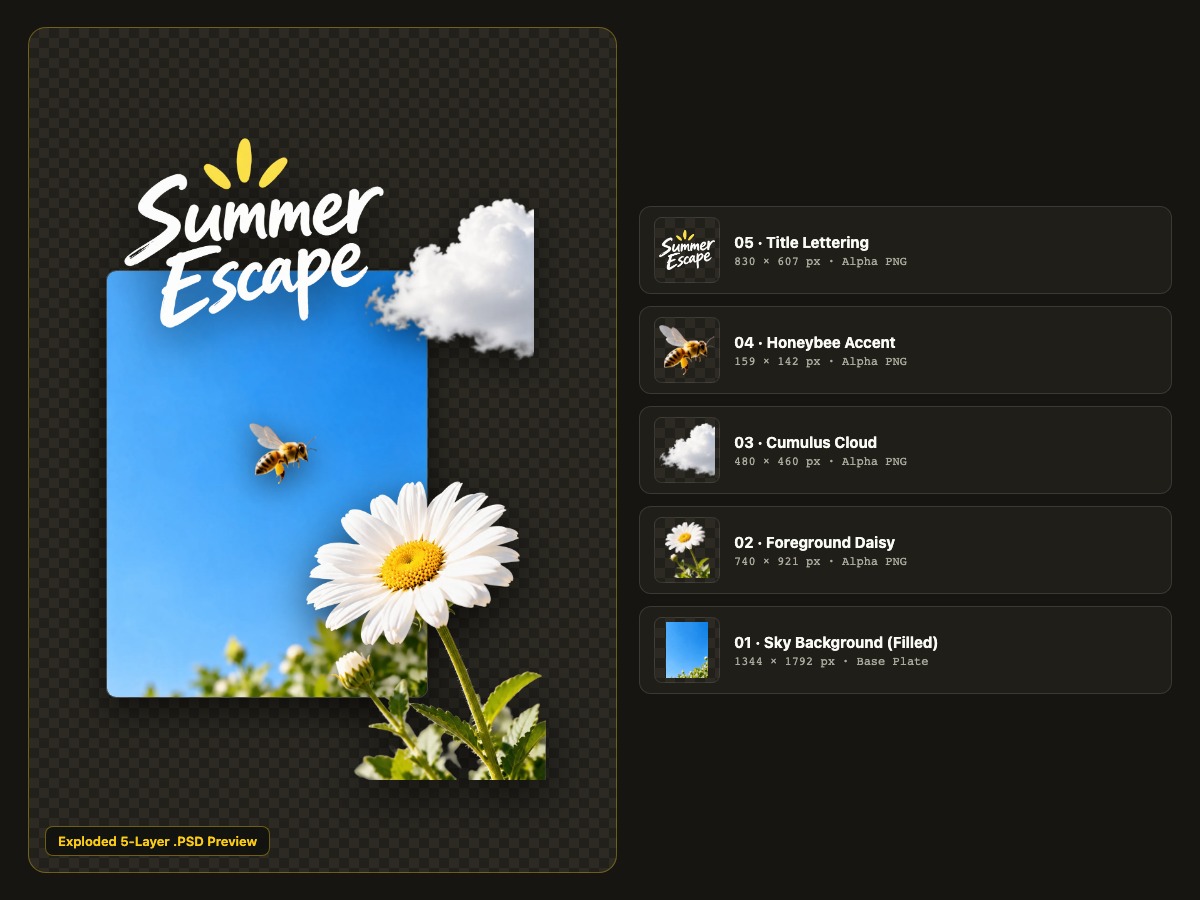
Exported .PSD · 5 RGBA Layers
Exploded five-layer PSD breakdown showing separated title lettering, bee, cloud, daisy, and reconstructed sky plate

Structured Five-Layer Photoshop Document

Converting an image to PSD with layers isolates script typography, the honeybee, cloud, foreground daisy, and an inpainted sky background onto five independently movable Adobe Photoshop layers.

Inspect Extracted PSD Stack

05 Title LetteringText Alpha

Crisp display script isolated on transparent pixels for instant layout repositioning.

830 × 607 px

How Image to PSD with Layers Works

Convert Flat Art Now

Upload Flat JPEG, PNG, or WebP

Drop any flat poster, product photo, or digital painting up to 10 MB, or load a free sample in the studio.

Select PSD Preset and Layer Depth

Choose Core or Detailed separation in 1K or 2K resolution and add optional guidance for overlapping props or headlines.

Refine Stack and Export Native PSD

Preview in Exploded view, rename or nudge layers, and download a native .PSD file ready for Adobe Photoshop.

Built for Real Photoshop Post-Production Workflows

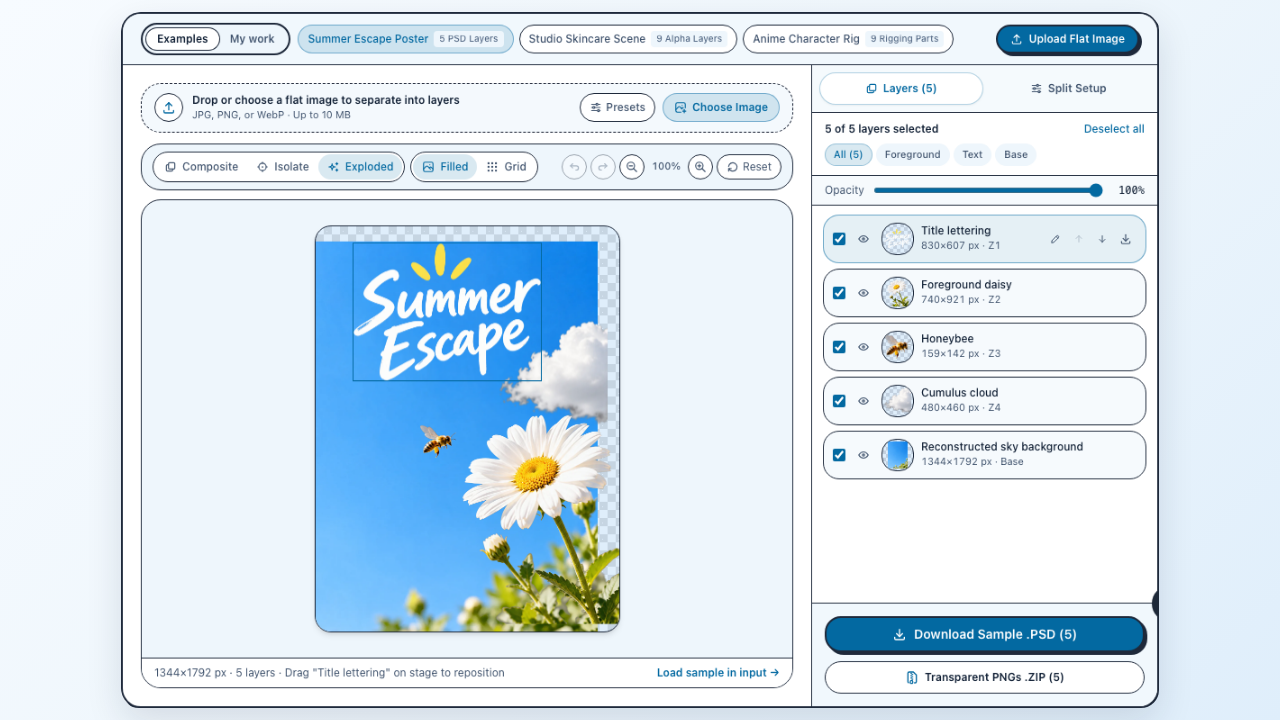
Image to PSD with Layers browser studio showing Exploded layer preview, 5-layer stack controls, and Download Sample PSD button

Inspect and Reorder Layers Before Downloading

Every layered PSD project opens in an interactive browser studio with Composite, Isolate, and Exploded views so you can rename layers, adjust opacity, and nudge coordinates before downloading.

Open Interactive Studio
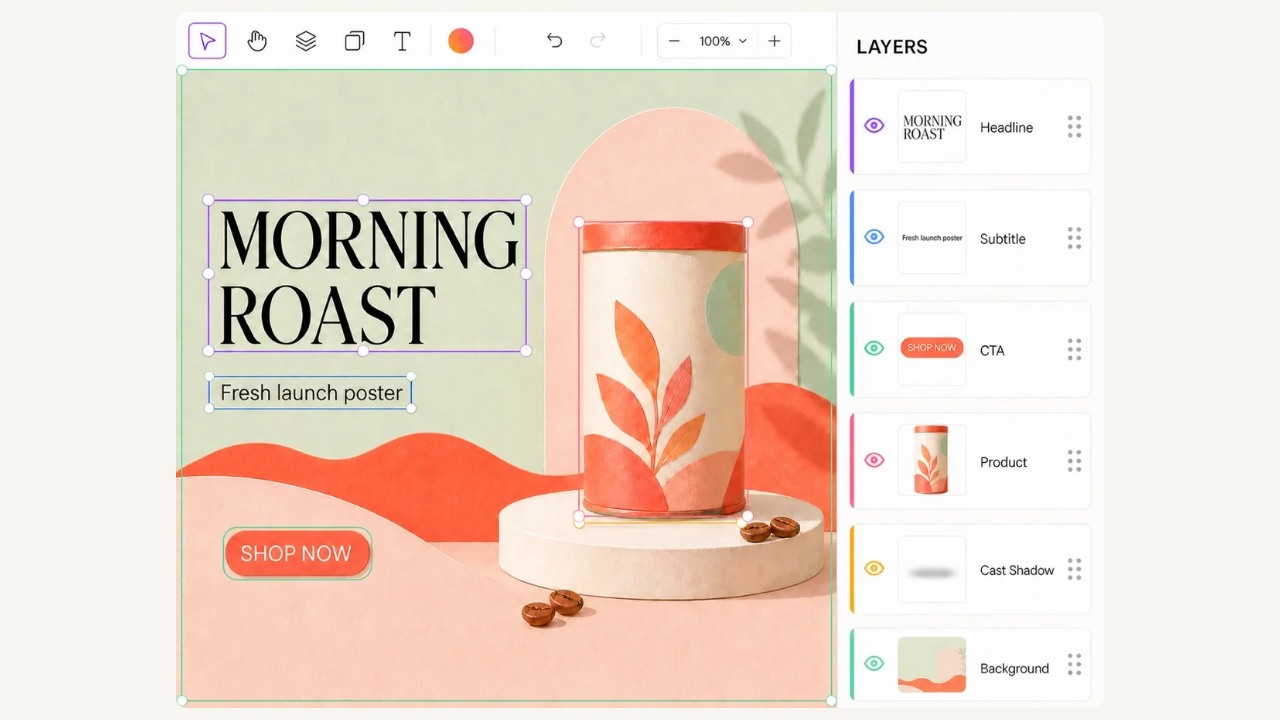
Morning Roast campaign poster split into Headline, Subtitle, CTA button, Product tin, Cast Shadow, and Background layers

Separate Headlines, Badges, Products, and Cast Shadows

Convert flattened marketing banners into a layered PSD stack where display headlines, CTA pills, hero packaging, and soft contact shadows live on independent alpha planes.

Split Poster Copy
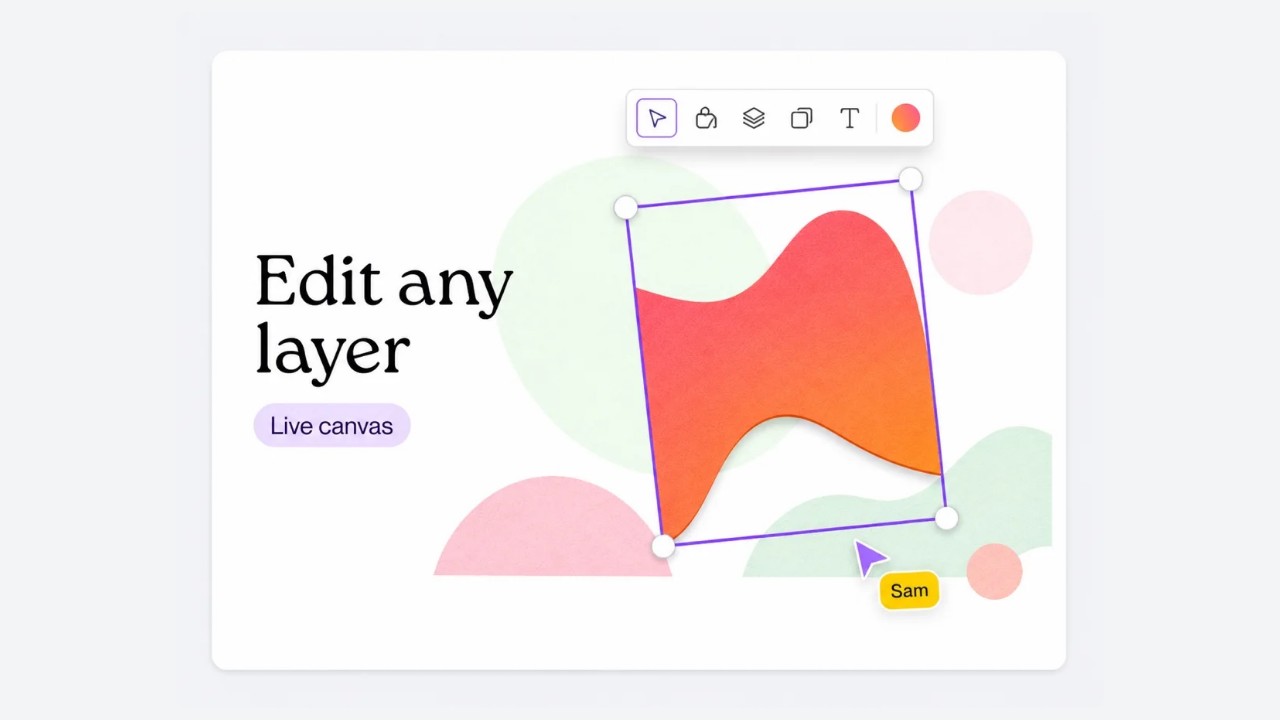
Selected graphic layer with bounding-box handles positioned independently above pastel background shapes

Save Layer Edits to Your Account Automatically

Custom layer names, visibility toggles, stacking order, and pixel offsets sync to private cloud storage so you can reopen past decompositions and export updated PSD variants anytime.

Start Free Trial

Amodal Background Fill Behind Detached PSD Layers

Drag the divider across the photograph to see how occluded stone steps and ocean scenery are reconstructed behind detached foreground subjects.

Reconstructed Santorini stone pathway and sea background layer with foreground subject cleanly removedOriginal Flat PhotoReconstructed Base Layer
50% / 50%
Ordinary Cutout Tool

Basic Cutouts Leave Empty Silhouette Holes

Traditional background erasers punch a harsh transparent silhouette gap out of your scene, forcing hours of manual clone-stamp repair whenever you shift or scale a subject.

Amodal Layer Reconstruction

Continuous Background Plate Inside Your PSD

Our AI image to Photoshop converter synthesizes hidden stone textures, sunlit walls, and ocean horizon lines onto a clean bottom plate so foreground layers move freely.

Zero empty silhouette holesIndependent bottom PSD layer

Photoshop PSD Technical Specifications and Scope

Review exact file properties, downstream editor compatibility, credit tiers, and raster boundaries before integrating layered exports into client production.

Native Layered Stack With Exact Pixel Placement

Every layered PSD download writes a standard Photoshop document preserving trimmed pixel bounds, custom layer names, visibility flags, and opacity percentages.

SpecificationDelivered OutputProduction Impact
Container FormatsNative .PSD + PNG .ZIPOpens natively inside Adobe Photoshop, Affinity Photo, Photopea, Procreate, and Clip Studio Paint without external plugins.
Color & Alpha Depth8-Bit sRGB + Full AlphaPreserves soft contact shadows, semi-transparent glass edges, and clean anti-aliased alpha silhouettes across every extracted layer.
Layer Geometry & EditsTrimmed Bounds + OffsetsSaves exact top-left pixel coordinates, custom layer renames, opacity slider percentages, visibility flags, and z-order changes.
Resolution & Credit Cost1K (40–60c) · 2K (60–80c)Includes 80 permanent welcome credits upon registration plus unlimited free browser re-exports of completed projects.
Included Deliverables

What Every Layered PSD Export Includes

You receive separated foreground, prop, typography, and inpainted background pixel layers converted into editable PSD form inside one watermark-free native .PSD document plus private cloud history.

Scope Boundaries

Objective Raster Scope and Font Boundaries

Extracted headlines and badges export as crisp transparent raster pixel layers rather than editable .TTF font glyphs, and outputs remain raster bitmaps rather than .SVG vectors.

Where Teams Use Image to PSD with Layers

Promotional pet food ad poster featuring headline, discount badge, puppy, carrots, and packaging bag ready for PSD separation

Adapt Social Ads Into Vertical and Square Ratios

Convert archived campaign JPEGs into layered PSD files so performance teams can reposition headlines, discount badges, and hero products across feed and story placements.

Frequently Asked Questions About Layered PSD Export

Image to Layers brand icon

Convert Your Flat Artwork Into Editable PSD Layers

Explore free multi-layer sample exports in your browser, or sign in to convert your first image to PSD with layers using 80 welcome credits.

Launch PSD Studio